Claim Your Spot: Creating a Google Business Profile
Getting your business on Google is free, and it is the single most important step in being found by local customers. The tool that makes it happen is your Google Business Profile (formerly Google My Business), the listing that shows up when people search your business name or look for what you offer on Google Search and Maps. Here is how to set it up, verify it, and make it work for you. 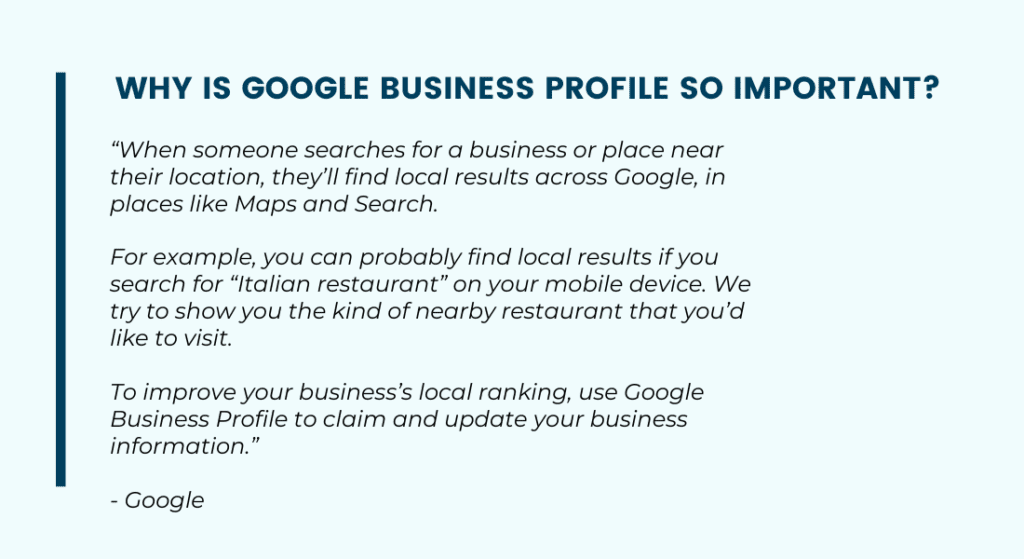
1. Setting the Foundation: Creating Your Profile
To get started, you need a Google account and a few minutes. Go to google.com/business or simply search Google for your business name while signed in; if a listing already exists, Google will prompt you to claim it. This step matters because a claimed profile is the only way to control your business information, respond to customers, and show up reliably in local search.
Key Steps:
- Create a Google Account: If you do not have one, set up a free Google account first. Use an email you check, because Google sends profile notifications there.
- Claim or Create Your Business: Search for your business name on Google. If a profile exists, claim it. If not, create one by entering your business name, category, address (or service area), phone number, and website.
2. Optimizing Your Presence: Complete Every Field
Your Google Business Profile is the face of your business on Google. It is where potential customers see your hours, photos, reviews, and contact details before they ever visit your website. A complete profile beats an empty one in both rankings and first impressions, so do not stop at the minimum.
Key Steps:
- Add Your Business Information: Enter your business name exactly as it appears in the real world, plus accurate address, phone number, website, and hours. Consistency with your website and other listings matters for local rankings.
- Choose the Right Categories: Pick the primary category that best describes your business, then add relevant secondary categories. Categories are one of the strongest signals Google uses to decide which searches you appear for.
- Add Services, Photos, and a Description: List your services or products, upload real photos of your work and location, and write a plain-language description of what you do and who you serve.
3. Verification: Proving You Own the Business
Google will not show an unverified profile with full features, so verification is not optional. Google chooses the verification methods available to you based on your business type. Video verification is now the most common method: you record a short video showing your location, signage, and proof you work there. Some businesses are offered phone, text, email, or the traditional postcard by mail instead.
Key Steps:
- Complete the Method Google Offers: Follow the prompts in your profile. For video verification, have your business signage, equipment, or paperwork ready to show on camera.
- Be Patient: Video reviews often take around a week, and some verifications take longer. Do not create a duplicate listing while you wait; that only creates problems to clean up later.
Managing Your Profile: Where Everything Lives Now
There is no separate dashboard website or app anymore. Google retired the old Google My Business dashboard and app; today you manage your profile directly in Google Search or the Google Maps app. Search your business name (or “my business”) while signed into the owning account, and the management panel appears right in the results.
4. Profile Management: The Essentials
From that in-search panel you can edit your information, see how customers find you, respond to reviews, and even create ads. Make checking it a habit; a profile you touch weekly outperforms one you set and forget.
Key Features:
- Edit Profile: Update your hours, services, attributes, and contact details anytime. Keep holiday hours current, because wrong hours are one of the fastest ways to lose a customer’s trust.
- Updates (formerly Google Posts): Share offers, events, and news directly on your profile.
- Performance Insights: See the searches people used to find you, plus calls, direction requests, and website clicks your profile generated.
5. Updates: Keeping Your Profile Active
Updates are short posts that appear right on your profile in Search and Maps. They work like mini-ads: a photo, a few sentences, and a button linking to your site or offer. An active profile signals to both Google and customers that your business is open and engaged.
Key Tips:
- Post Regularly: A weekly or biweekly update is plenty. Promote offers, showcase recent work, or announce events.
- Use Real Photos: Authentic photos of your work, team, and location consistently outperform stock images.
6. Customer Reviews and Questions: Building Trust
Reviews are the heart of your profile. They influence your local rankings, and they are the first thing potential customers read when comparing you to competitors. The Q&A section matters too: anyone can ask a question on your profile, and if you do not answer, someone else might, possibly wrongly.
Key Strategies:
- Ask for Reviews: Send happy customers your review link after a completed job or sale. A steady flow of recent reviews beats a big batch of old ones.
- Respond to Every Review: Thank the positive ones and address the negative ones professionally. Your responses are public, and future customers judge you by them.
- Answer Questions Promptly: Monitor the Q&A section and answer clearly. You can also seed it with the questions you hear most often.
7. Service Areas and Business Hours: Catering to Your Audience
If you serve customers at their location (plumbers, cleaners, landscapers), you can run a service-area business profile and hide your street address entirely. Either way, accurate coverage areas and hours tell Google which searches you belong in and tell customers when they can reach you.
Key Considerations:
- Define Your Service Area: List the cities or regions you actually serve. Keep it honest; overreaching your real coverage area does not help your rankings.
- Keep Hours Current: Update regular hours, holiday hours, and temporary closures. Google flags profiles with unreliable information, and customers remember a wasted trip.
Beyond the Basics: Getting More From Your Profile
Once your profile is verified and complete, a few additional moves multiply its value.
8. Connect Your Website and Local SEO
Your profile and your website work as a team. The profile wins the map visibility; your website closes the deal. Make sure your name, address, and phone number match exactly across both, link your profile to the most relevant page of your site, and build out the broader signals (citations, reviews, local content) that lift your rankings. This bigger picture is what local SEO is all about.
9. SEO for Your Business Profile: Climbing the Local Rankings
Google decides local rankings based on relevance, distance, and prominence. You cannot change your location, but you can improve the other two: complete every profile field, choose accurate categories, describe your services in the words customers use, keep photos and updates flowing, and grow your review count and quality. Profile activity and reputation are what separate the businesses in the map pack from the ones below it.
10. Showcase Your Products
If you sell products, add them to your profile with the product editor. Products appear directly on your profile with photos, prices, and descriptions, letting customers browse what you carry before they ever visit. Retailers can also connect inventory tools so local shoppers see what is in stock right now.
FAQ
Is it free to put my business on Google?
Yes. Creating and managing a Google Business Profile is completely free. You can run ads on top of it if you choose, but showing up in Google Search and Maps costs nothing.
How long does it take to get my business on Google?
Creating the profile takes about 15 minutes. Verification is the wait: video and other methods often complete within about a week, though some cases take longer. Once verified, your profile typically appears in search results within a few days.
Do I need a website to get my business on Google?
No, a profile works without one. But a website makes a real difference: it gives searchers a place to learn more and gives Google more evidence of what you do, which supports better rankings. Even a simple, fast site beats none.
Why is my business not showing up on Google?
The usual culprits: the profile is unverified, the information is incomplete or inconsistent with other listings, the business is too new, or competitors in your area simply have stronger profiles and reviews. Work through verification, completeness, and reviews first, then build broader local SEO signals.
Conclusion: Key Takeaways for Success on Google
Your Google Business Profile is the front door to your business for local customers. To recap:
- Claim and Verify: Create your free profile and complete verification so you control your listing.
- Complete Everything: Accurate details, real photos, right categories, and listed services.
- Stay Active: Post updates, answer questions, and respond to every review.
- Think Bigger: Pair your profile with a solid website and a real local SEO strategy.
For a deeper walkthrough of every profile feature and how to squeeze the most from it, read our comprehensive Google Business Profile guide. Set it up once, maintain it consistently, and Google becomes your most reliable source of new local customers.