
SEO for beginners does not need to be complicated. SEO, or search engine optimization, is the work of making your website the best answer to the questions your customers type into Google. Do it well and you earn traffic you do not pay for, click after click. This guide covers the fundamentals in plain language: how search engines decide what ranks, what to do first, and how AI is changing the results page in 2026.
If you want the deeper definition before the how-to, start with what is SEO, explained, then come back here.
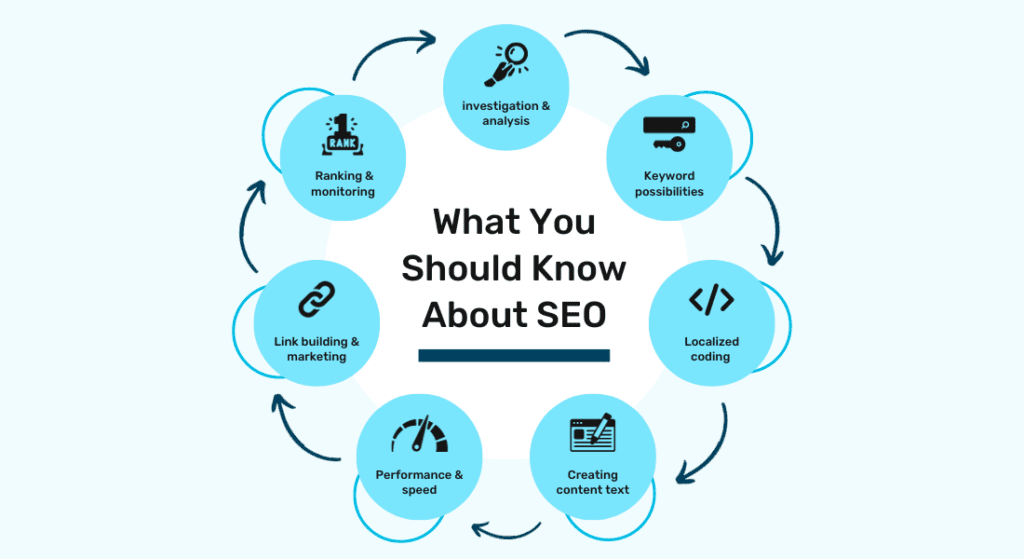
How search engines work: crawl, index, rank
Every beginner should understand three words:
- Crawling. Google sends software (a “crawler”) to discover pages by following links across the web.
- Indexing. Pages it can read and understand get stored in Google’s index, a giant library of the web.
- Ranking. When someone searches, Google pulls the most relevant, trustworthy pages from that index and orders them.
Everything in SEO serves one of those three steps: helping Google find your pages, understand them, or trust them more than the alternatives.
One 2026 wrinkle: for many searches, Google now shows an AI Overview above the traditional results, a generated answer assembled from pages in its index. ChatGPT and Perplexity answer questions the same way, by drawing on content from the open web. This does not make SEO obsolete. It raises the stakes, because AI answers cite and summarize the pages that would have ranked anyway. The fundamentals below feed both.
Step 1: Keyword research, or learning your customers’ language
Keywords are the actual words people type into a search box. Beginners usually guess wrong about these, describing their business the way they talk about it internally instead of the way customers search for it. You might say “HVAC solutions”; your customer types “AC repair near me.”
Start simple:
- List the questions customers ask you on the phone or by email. Each one is a keyword.
- Type your services into Google and note what it autocompletes. Those are real searches.
- Look at the “People also ask” boxes on results pages for related questions.
Prefer specific phrases over broad ones. “Running shoes” is unwinnable for a new site; “best running shoes for flat feet” is a real target. We cover the full process in our guide to keyword research.
Step 2: On-page SEO, or making each page clear
On-page SEO is everything you control on the page itself. For each important page:
- Title tag. The headline shown in search results. Put the keyword in naturally and make it worth clicking. Keep it under about 60 characters.
- Meta description. The short blurb under the title in results. It does not directly affect ranking, but a good one earns more clicks.
- Headings. Use one H1 that says what the page is about, and H2s that break the content into scannable sections, ideally matching the questions people search.
- Body content. Answer the searcher’s question thoroughly and early. Cover the topic completely instead of repeating the keyword; Google got past keyword stuffing many years ago.
- Internal links. Link related pages on your site to each other with descriptive link text so visitors and crawlers both find their way.
Step 3: Technical SEO, or removing roadblocks
Technical SEO sounds intimidating, but the beginner version is a short checklist:
- Speed. Slow pages lose visitors and rankings. Compress images and use decent hosting.
- Mobile. Most searches happen on phones. Your site must be easy to use on a small screen.
- HTTPS. The padlock in the browser. Non-secure sites are penalized and scare visitors off.
- Fix broken links. Dead ends waste crawl attention and frustrate people.
- Sitemap. An XML sitemap (most website platforms generate one automatically) tells Google what pages exist.
If your site runs on WordPress, Squarespace, Shopify, or a similar platform, most of this is handled or a plugin away. Do not let technical fear stop you from doing the content work, which matters more for most small sites.
Step 4: Content, or earning your rankings
Content is how you win. Search engines rank pages, not websites, and every question your customers ask is a page you could own. A plumber who publishes a genuinely useful guide to “why is my water heater making noise” earns trust, traffic, and eventually customers from it.
Three rules keep beginners on track:
- Write for people first. Google’s systems are explicitly built to reward content written for humans, not for algorithms.
- Show first-hand experience. Real photos, real examples, real prices, real opinions. This is what separates you from the AI-generated filler flooding the web, and it is what both Google and AI answer engines increasingly reward.
- Be consistent. One good post a month for a year beats twelve posts in January and silence after.
Step 5: Measure with free tools
Two free tools tell you whether any of this is working:
- Google Search Console shows which searches your site appears for, what gets clicked, and any indexing problems. Set it up first; it is the closest thing to Google telling you directly how it sees your site.
- Google Analytics (GA4) shows what visitors do after they arrive: which pages they read, and whether they contact you or buy.
Check them monthly. Look for queries where you rank on page two, then improve those pages; that is the fastest win in beginner SEO.
How long does SEO take?
Longer than you want, less time than you fear. New sites typically see early movement in three to six months and meaningful traffic in six to twelve. SEO compounds: the work you do this month keeps paying next year, which is exactly why it beats renting attention through ads over the long run.

Key takeaways
- SEO is making your site the best available answer to what your customers search.
- Search engines crawl, index, and rank; your job is to help all three.
- Keyword research means learning your customers’ language, not guessing.
- On-page basics: clear titles, useful headings, thorough answers, internal links.
- Technical basics: fast, mobile-friendly, secure, crawlable.
- Content written from real experience wins in both Google and AI answers.
- Measure with Search Console and GA4, and give it six to twelve months.
You can absolutely do the fundamentals yourself. And when the business grows faster than the hours you can give it, our SEO services pick up where the DIY approach leaves off.
FAQ
How do I start SEO as a complete beginner?
Set up Google Search Console, do basic keyword research by listing the questions customers actually ask, then improve one important page at a time: clear title tag, helpful headings, and a thorough answer to the searcher’s question. Add one genuinely useful piece of content per month.
Can I do SEO myself for free?
Yes. The core tools (Google Search Console, Google Analytics, Google’s autocomplete for keyword ideas) are free, and the main investment is time. Most small local businesses can get real results with consistent DIY effort before ever needing to hire help.
Is SEO still worth learning now that AI answers questions?
Yes. Google’s AI Overviews, ChatGPT, and Perplexity all build their answers from content on the open web, and they favor the same clear, credible, well-structured pages that rank in traditional search. Learning SEO in 2026 is learning how to be visible in both places.
How long does SEO take for a new website?
Plan on three to six months before early rankings and six to twelve months for meaningful traffic. Competitive industries take longer. The timeline is the price of a channel that keeps producing after the work is done.